
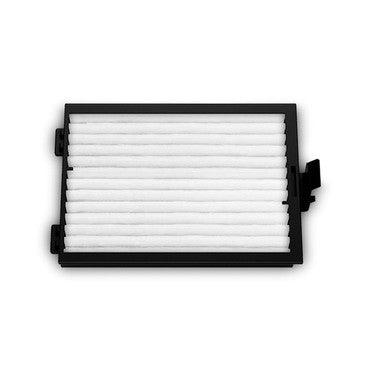
Epson DTG F2100 Printer Air Filter
ES-EPSC13S092021
$30.00$0.00
New to SPSI? Open an account
Will-call pickup
-
Maple Grove, MN Corporate Headquarters1 in stock
Usually ready in 24 hours
Ships same day from MN & TX · Free shipping on supply orders $300+
Replacement air filter designed for the Epson SureColor F2100 DTG printer, helping maintain proper printer airflow by capturing airborne ink mist, dust, and contaminants during garment printing.
Characteristics
The Epson DTG F2100 Printer Air Filter is a replacement maintenance component designed for use with the Epson SureColor F2100 direct-to-garment printer. The air filter plays an important role in routine printer maintenance by helping capture airborne ink mist, dust, and other contaminants generated or drawn into the printer during operation.
Maintaining a clean air filter helps support proper airflow within the printer and prevents excessive buildup of contaminants in areas where they could affect printer operation. As the filter becomes saturated or dirty through normal use, replacing it as part of a regular maintenance routine helps keep the printer operating in a clean and efficient production environment.
Designed for straightforward replacement, the F2100 air filter is an essential maintenance item for DTG shops operating their printer on a regular basis. Keeping replacement filters available can help reduce maintenance interruptions and ensure that a worn or saturated filter can be replaced when required.
For best results, inspect the air filter regularly and replace it according to the printer's maintenance requirements and Epson recommendations. Replacement frequency can vary depending on production volume, operating conditions, and the amount of ink mist and airborne contaminants present around the printer.
- Replacement air filter for the Epson SureColor F2100 DTG printer
- Helps capture airborne ink mist, dust, and contaminants
- Supports proper airflow within the printer
- Helps reduce contaminant buildup during normal operation
- Designed for routine printer maintenance
- Straightforward replacement maintenance component
- Useful for maintaining heavily used production DTG printers
- Essential spare maintenance item for professional print shops
- Inspect the printer's air filter regularly for visible ink, dust, and contaminant buildup.
- Replace the filter when indicated by the printer's maintenance requirements or when it becomes excessively dirty.
- Follow Epson's recommended maintenance and replacement procedures for the SureColor F2100.
- Turn off the printer and follow the appropriate maintenance procedure before replacing internal maintenance components.
- Avoid touching or contaminating the replacement filter unnecessarily during installation.
- Make sure the replacement filter is seated correctly before returning the printer to operation.
- Keep spare air filters available in high-production DTG environments to minimize maintenance downtime.
- Maintain a clean area around the printer to help reduce unnecessary dust and airborne contaminants.
